Plan
Create the match or tournament, choose teams, rules, venue and lineups.
Your match day. One clear workflow.
Plan matches and tournaments, control the live game, record key moments, hand control between devices and share selected information by link or QR code — without juggling separate tools.
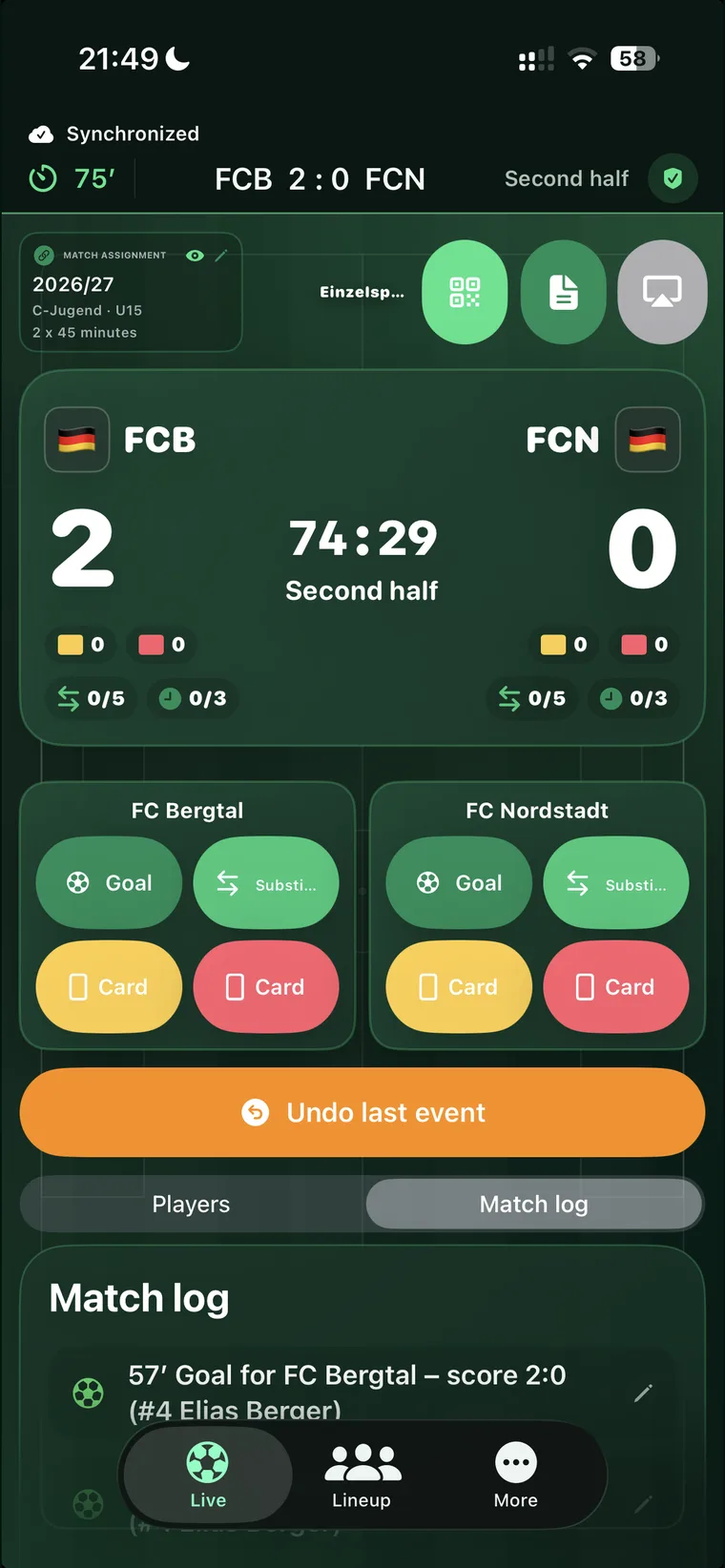
The new compact iPhone overview puts score, clock, match phase, cards, substitutions and the key actions on one screen. Less scrolling, faster reactions – with the match log still close at hand.
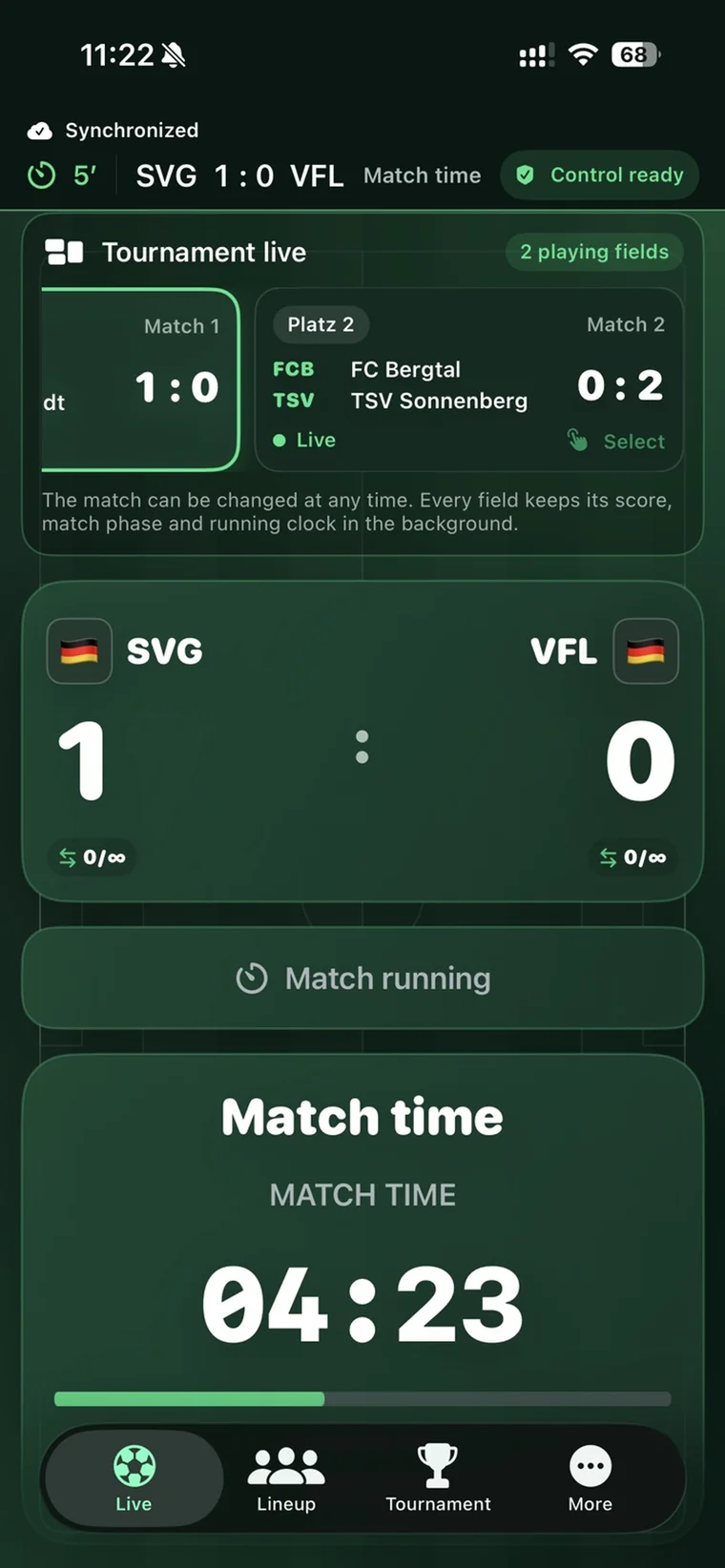
The standard view puts match phase, match time and remaining time front and center. The compact view brings cards, substitutions, actions and the match log closer together. You change the view – not your match workflow.
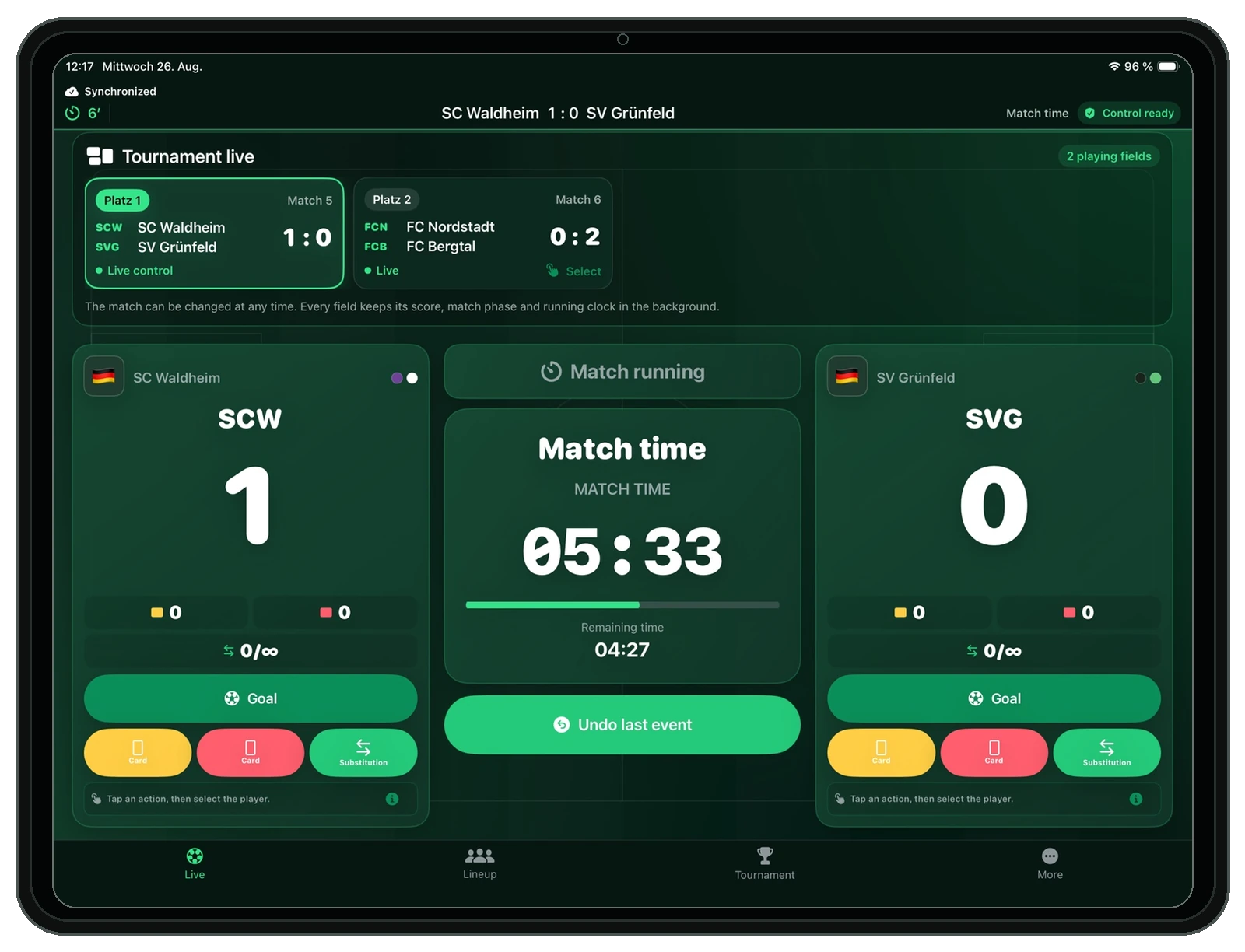
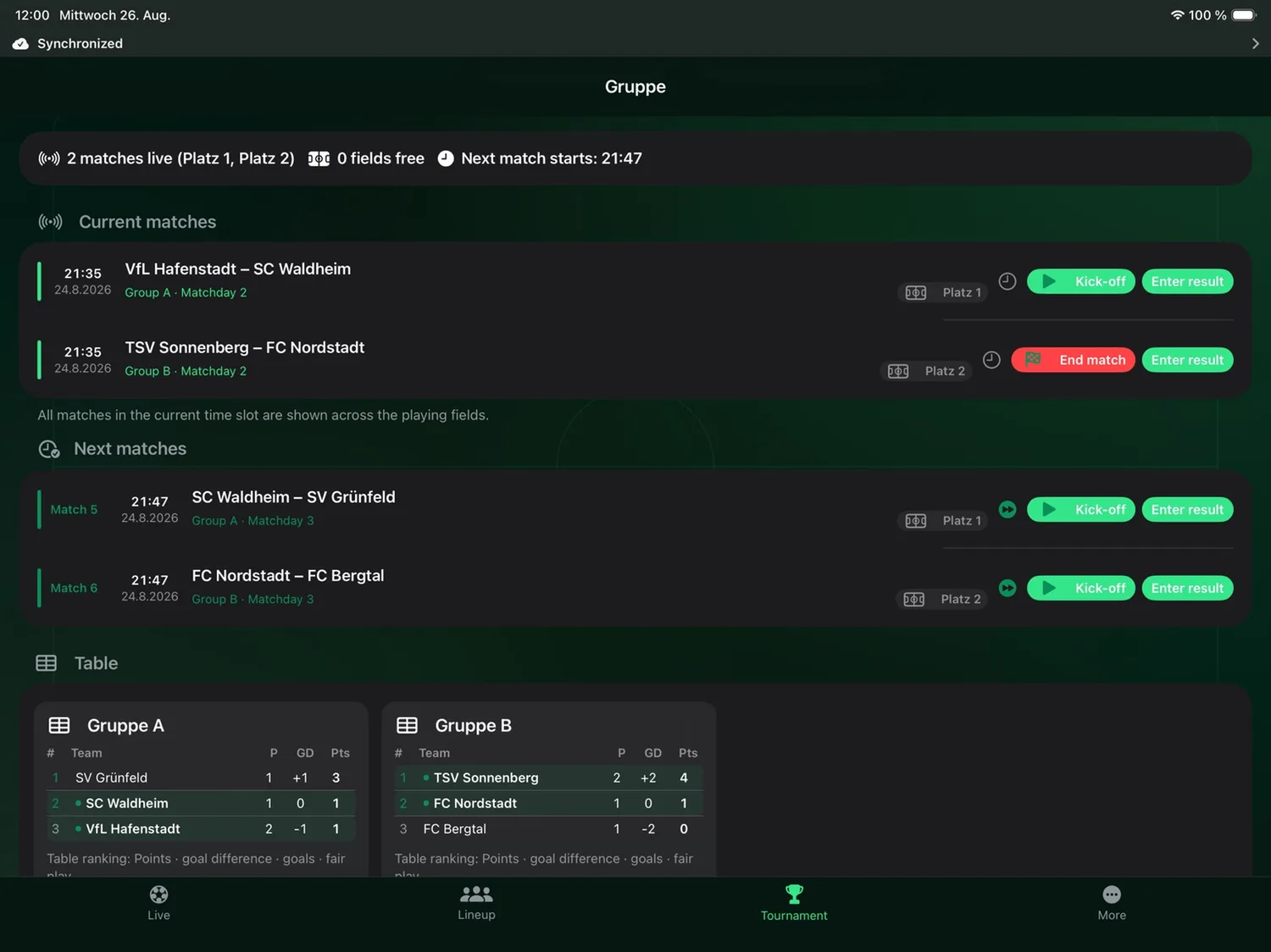
In tournament mode you can switch between live matches while each field keeps its score, phase and running clock in the background. On iPad, MatchControl becomes a spacious tournament control center with direct actions and tables.
Prepare once, act quickly during the game, share only what you want and finish with a clean history — without rebuilding the day afterwards.
Create the match or tournament, choose teams, rules, venue and lineups.
Kick off, keep time and score, and record goals, cards and substitutions — on iPhone, iPad or Apple Watch.
Give spectators a link or QR code. They need no MatchControl app; you decide what is public.
Close the match, keep the history and create PDFs or evaluations without reconstructing the day afterwards.
Live control stays immediate while match planning, tournament management, public pages, PDFs, iCloud and evaluation work with the same consistent state.
Load a planned match without kicking off, control halves, stoppage time, extra time and penalty shoot-outs, and correct actions safely.
Goals and own goals, yellow, yellow-red and red cards, substitutions and player assignments with a complete event log and undo support.
Plan individual matches, create seasons and run multi-field tournaments with draws, rest-time aware scheduling, groups, knockout stages, configurable table rules and explicit tie decisions.
Each club appears once and can contain seniors, standard or custom age groups and parallel squads such as G1 or G2 – from 3v3 to 11v11.
Live Activity, a manually added home-screen widget and stadium, TV or tournament layouts for compatible external displays.
Evaluate by season, tournament, club, age group or player, including monthly match counts, form, records and goals or goals conceded by minute.
Seasons, tournaments, planned matches, the club library, settings and completed history synchronize quickly through your private CloudKit database.
Share only permitted content. Each match or tournament link can use no password, your reusable standard password or its own individual password, with QR code and automatic expiry.
Match reports and tournament schedules with shared design settings, optional tables and QR codes. Public link and QR code are included only for pages you already published; exporting never publishes by itself.
Use your synchronized MatchControl data on iPhone and iPad. Active matches and tournaments have clear device ownership and can be explicitly handed over instead of being edited in parallel.
Large controls, responsive layouts and a dedicated external presentation keep operation safe while spectators receive the information you permit.
MatchControl ONE synchronizes your MatchControl data privately through iCloud. Prepare on iPad, check on iPhone and continue on another synchronized device when needed.
Tournament mode prioritizes the whole event rather than one oversized single-match scoreboard.
Large touch targets, a clear match clock and adaptive layouts help you record goals, cards, substitutions and lineups safely in iPhone portrait, iPhone landscape, iPad and Mac.
The app, external screen and public website use the same permitted information.
Filter by period, season, tournament, club, age group or player. Monthly match counts, goals and goals conceded by minute, form, streaks and records are derived from your history.
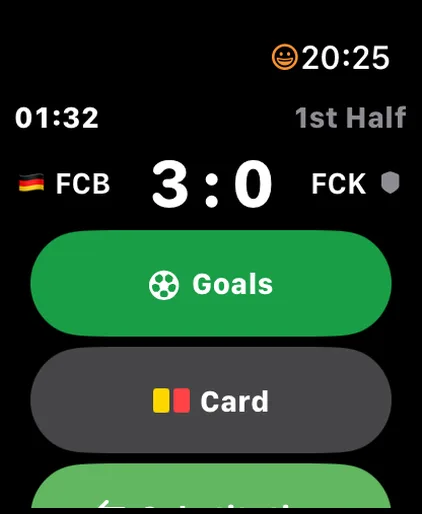
MatchControl ONE now brings live match control to Apple Watch. Keep time, score and match phase in view and record the actions that matter right from your wrist.
MatchControl keeps the important match-day information where you need it — on iPhone, iPad, Apple Watch and the big screen — without making your workflow more complicated.
The Apple Watch complication can show the current score and football minute during an active match. After the match it returns to a neutral MatchControl display.
Keep score, match time and phase visible on supported surfaces such as Dynamic Island and the Lock Screen. Cards and substitutions can now also be shown compactly during an active match.
Record own goals with player assignment and decide matches by penalty shootout — including fast controls on Apple Watch.
External presentation layouts turn a connected display into a clear scoreboard or tournament view, with optional automatic pre-match, half-time and full-time screens.
Short answers to the things that matter before you start.
No separate MatchControl account is required. Your app data is stored locally and can be synchronized through your Apple account with iCloud when you enable it.
Yes. You can start with an individual match and use tournaments, seasons, history and advanced settings only when you need them.
Yes. MatchControl supports multi-field tournaments with schedules, groups, tables, knockout paths, results and deliberate decisions for true tie situations.
Yes. With the paired Apple Watch you can control the match flow and record goals, cards and substitutions while keeping time, score and phase visible. The iPhone remains the authoritative device.
Yes. Shared MatchControl data syncs privately through iCloud. Active matches and tournaments use explicit control ownership, so another synchronized device can deliberately take over instead of editing in parallel.
Yes. You can create a public link or QR code. Spectators open it in a browser and need neither the MatchControl app nor a MatchControl account.
Yes. Public pages use the publication settings you choose. Links can also be left without a password or protected with the supported password options.
Many core match-day functions work locally on the device. iCloud synchronization, public live pages and other online functions naturally require connectivity when data needs to be transferred.
Results and events remain available in your history for evaluation and PDF reports. Public links follow the configured expiry and retention rules.
MatchControl supports standard and custom age groups, parallel squads and football formats from small-sided 3v3 up to 11v11, so it can grow with your club structure.
MatchControl ONE starts with football as the first complete sport profile. The app architecture already treats the sport as part of matches, teams, seasons, tournaments, formations, rules and history, creating a clean foundation for future sports such as handball and basketball.
Every match. Every team. One place.
MatchControl ONE keeps planning, live control, sharing and review together, so your attention stays where it belongs: on the match.